
Desktop or Laptop: Understanding the Real Trade-Offs
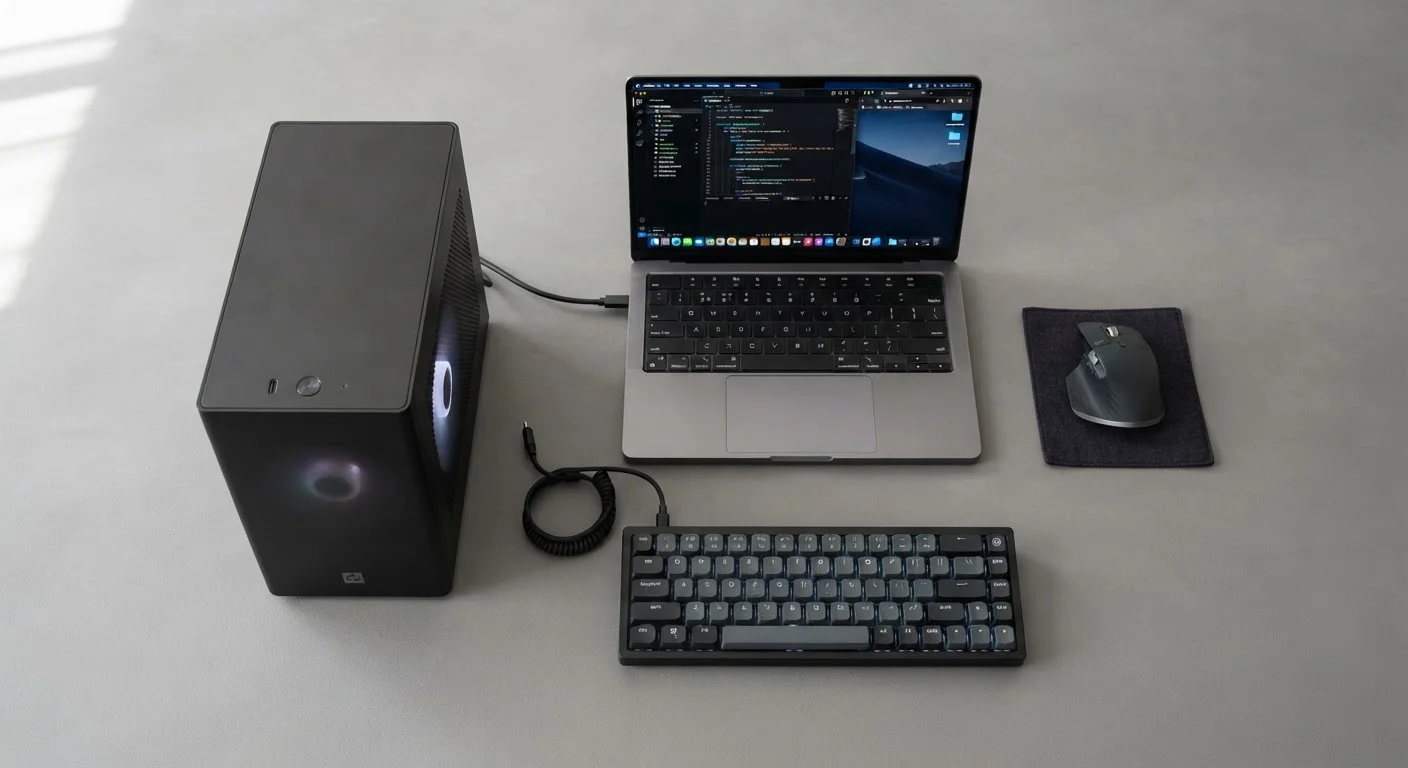
Photo credit: TheBlogZappier.com | Simple Search, Credible Results
In this article
Portability, performance, upgradability — explore the genuine differences between desktops and laptops before making a decision.
Key Takeaways
- Desktops generally deliver more performance per dollar spent than equivalently priced laptops.
- Laptops trade some raw power and upgradability for genuine portability and battery-powered use.
- Most desktop components — RAM, storage, GPU — can be upgraded; most laptop components cannot.
- Thermal design limits how hard a laptop can sustain peak performance over long workloads.
- Your actual usage pattern — fixed desk vs. multiple locations — should drive the decision more than specs.
Why This Choice Is Harder Than It Looks
The desktop-vs-laptop question looks simple on the surface — one moves, one doesn't. But the real trade-offs run deeper than portability. They touch performance ceilings, how long the machine stays useful, total cost over time, and whether the hardware can grow with you. Understanding those differences before you decide saves real frustration later.
For a broader grounding in what specs actually matter, see the complete guide for first-time computer buyers. This article focuses specifically on the structural differences between the two form factors.
| Criterion | Desktop | Laptop |
|---|---|---|
| Portability | Fixed location only | Fully portable, battery-powered |
| Performance per dollar | Generally higher | Lower due to mobile chip constraints |
| Sustained heavy workloads | Handles well with larger cooling | May throttle under long intensive tasks |
| RAM upgradability | Usually straightforward | Often soldered, not upgradable |
| Storage upgradability | Multiple bays, easy to expand | Sometimes replaceable, varies by model |
| Display | External monitor — flexible size/quality | Built-in — size limited by chassis |
| Setup complexity | Requires dedicated desk and peripherals | Self-contained, minimal setup |
| Long-term repairability | High — most parts accessible | Low to moderate — varies by model |
Performance and Thermals: Where the Gap Is Real
At any given price point, a desktop typically offers meaningfully more processing power than a laptop. The reason is physical: a desktop has room for larger cooling solutions — bigger fans, more heat pipes, sometimes liquid cooling — so the processor and graphics card can run at full speed for extended periods without throttling back.
Laptops compress everything into a thin chassis. That forces chip manufacturers to design lower-wattage mobile versions of their processors. These chips are capable, but they produce less heat by consuming less power, which also means less peak throughput. Under short bursts — web browsing, document editing, video calls — the difference is rarely noticeable. Under sustained heavy workloads like video rendering, 3D modeling, or compiling large codebases, the gap becomes measurable.
Thermal throttling is the key concept here: when a chip's temperature hits its safe ceiling, the system automatically slows it down to prevent damage. Laptops hit that ceiling sooner and more often than desktops doing the same task. If your work regularly involves long, intensive compute jobs, that matters. If it doesn't, it probably won't affect your day-to-day experience. See our guide on when a dedicated GPU actually matters for more context on graphics specifically.
~30–40%
Typical performance gap at equivalent price
Industry hardware analyses consistently show desktop CPUs and GPUs outperform their mobile counterparts at similar price tiers, largely due to thermal headroom.
3–5 years
Average practical laptop lifespan
Consumer research and manufacturer support cycles suggest most laptops remain fully capable for everyday tasks within this window before battery or software limitations emerge.
Upgradability and Long-Term Value
This is one of the starkest differences between the two form factors. Most desktop cases are designed for access. Swapping RAM, adding a second storage drive, replacing a graphics card, or installing a faster CPU cooler are tasks many desktop owners handle themselves. That modularity means a desktop bought today can be incrementally improved over several years rather than replaced wholesale.
Most modern laptops — particularly thin and light models — are largely sealed. RAM is often soldered directly to the motherboard, meaning the amount you buy is the amount you keep. Storage is sometimes replaceable, but the format and availability of compatible parts varies widely. The battery will degrade over time and, depending on the model, may require professional replacement.
This doesn't make laptops a poor long-term investment — it just means the upgrade path is narrower. Choosing the right configuration at purchase matters more. Our article on common mistakes first-time buyers make covers why over- or under-speccing at purchase is such a frequent problem.
For laptop buyers who want to understand longevity specifically, what affects how long a laptop lasts breaks down the factors — thermal design, battery cycles, and software support — that determine useful lifespan.
Portability, Setup, and Real-World Flexibility
A laptop's defining advantage is that it's a complete computer in one unit: screen, keyboard, trackpad, speakers, webcam, and battery, all in a package that fits in a bag. That integration has genuine value — you're not managing cables, you're not duplicating peripherals across locations, and you can work somewhere without a power outlet for hours.
A desktop requires a dedicated space and a dedicated setup: monitor, keyboard, mouse, speakers if you want them, and a constant power connection. That's a real commitment, but it also means you get a larger, often higher-quality display and ergonomic flexibility that a laptop's built-in screen and keyboard can't match.
Many people end up in a hybrid arrangement — using a laptop as their primary machine but connecting it to an external monitor, keyboard, and mouse at their main workspace. This approach gets close to desktop comfort while keeping portability intact, though it does add setup cost and complexity. If you're considering different laptop form factors for this kind of setup, our breakdown of laptop categories explains how ultrabooks, 2-in-1s, and other types differ in practice.
Ultimately, the honest question to ask yourself is: how often do I actually need to move my computer? If the answer is rarely or never, a desktop's performance and value advantages are real. If the answer is regularly, those advantages matter less than the freedom to work from wherever you are. For help mapping your specific tasks to the right hardware, see matching a computer to how you actually use it.
The Hybrid Setup Worth Considering
Docking stations and USB-C hubs let a laptop connect to a full desktop-style setup — large monitor, full-size keyboard, wired ethernet — with a single cable. This approach suits people who want portability on the go but desktop ergonomics at home or in the office. It does add cost, and not all laptops support all docking configurations, so check compatibility before committing.

Author
Tech & Electronics Editorial Team
Tech & Electronics Editorial Team is the collective byline for our editorial team and contributor network. Articles published under this byline or an editorial pen name are researched, written, and reviewed according to our editorial standards for clarity, consistency, and independence before publication.
View all articles →