
Android and iOS: A Side-by-Side Look at Two Mobile Ecosystems
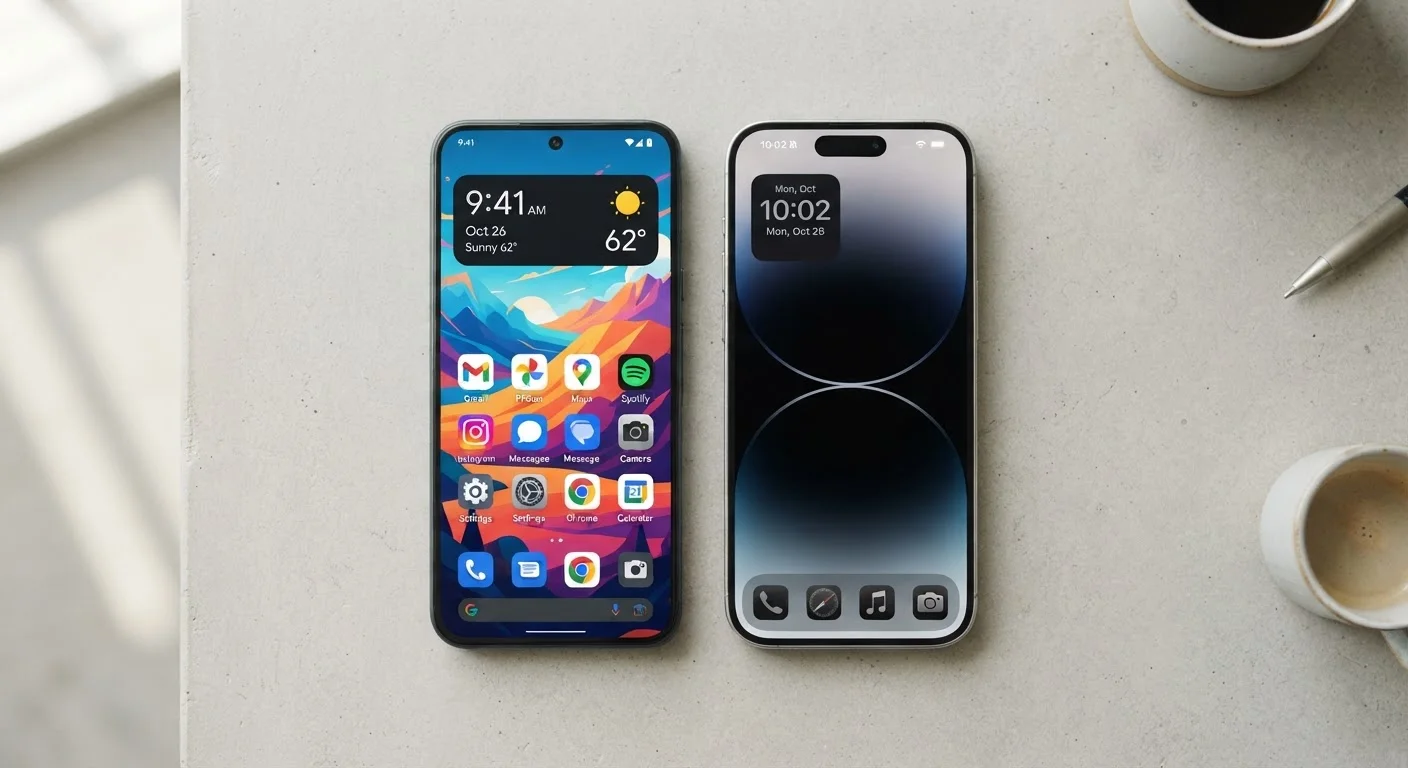
Photo credit: TheBlogZappier.com | Simple Search, Credible Results
In this article
A clear, opinionated-free comparison of Android and iOS across privacy, app selection, customisation, and long-term usability.
Key Takeaways
- Android runs on devices from many manufacturers; iOS runs exclusively on Apple hardware.
- iOS devices generally receive software updates for longer and on a more predictable schedule.
- Android offers more customization options and is more flexible about third-party apps and file management.
- Both platforms have strong privacy tools, but they approach data control differently.
- Switching between ecosystems involves real trade-offs, especially if you use platform-specific apps or accessories.
What Actually Separates These Two Systems
Android and iOS are both mobile operating systems, but they were built on fundamentally different philosophies. Android, developed by Google, is open-source software that device makers like Samsung, Google itself, Motorola, and others license and customize. iOS, made by Apple, runs only on iPhones. That single difference — one platform on many devices, one platform on one brand's hardware — explains most of the practical distinctions between the two.
For everyday use, this means Android users encounter more variety: different screen sizes, price points, camera setups, and pre-installed software depending on which manufacturer made their phone. iOS users get a more uniform experience because Apple controls both the software and the hardware it runs on. Neither approach is inherently better; they reflect different priorities.
If you're still early in your research, the first-time buyer's guide to smartphones covers the foundational concepts worth understanding before comparing platforms.
| Criterion | Android | iOS |
|---|---|---|
| Hardware availability | Many manufacturers and price points | Apple devices only |
| Home screen customization | Extensive — launchers, widgets, defaults | Moderate — widgets, limited defaults |
| App sideloading | Permitted | Restricted (limited exceptions) |
| File system access | Direct access via USB or file manager | Sandboxed; managed through apps or cloud |
| Software update timeline | Varies by manufacturer | 5–6+ years, simultaneous rollout |
| Cross-device ecosystem | Works with Windows, Mac, ChromeOS | Deep integration with Apple devices |
| Privacy controls | Granular per-app permissions | App Tracking Transparency, per-app controls |
Customization, App Access, and Day-to-Day Flexibility
Android allows users to replace default apps — swap the keyboard, set a third-party browser as the default, or use a different launcher to completely change the home screen layout. iOS has expanded its customization options over recent versions, including widget support and the ability to change some default apps, but it remains more restricted by design.
App availability is broadly similar on both platforms, but there are exceptions. Some apps launch on one platform first, and a small number remain exclusive to one ecosystem. Android also permits sideloading — installing apps from outside the official Play Store — which gives technically confident users more flexibility, though it also introduces more responsibility for vetting what they install.
File management differs significantly. Android behaves more like a traditional computer: you can connect it to a PC or Mac and browse its file system relatively freely. iOS is more sandboxed; apps manage their own storage, and direct file transfers are handled through iTunes, the Finder, or cloud services. For users who move files between a phone and a desktop computer regularly, this is a meaningful difference. Our article on phone storage options explores how built-in, expandable, and cloud storage each compare.
~72%
Global smartphone OS market share
Android holds roughly 72% of global smartphone market share as of recent years, according to Statcounter data, reflecting its broader device availability worldwide.
5–6 years
Typical iOS software support window
Apple has consistently supported iPhone models with major OS updates for five to six years after release, which is longer than most Android manufacturers commit to.
Privacy, Updates, and Long-Term Reliability
Both platforms have made privacy a visible feature in recent years. iOS introduced App Tracking Transparency, which requires apps to ask permission before tracking activity across other apps and websites. Android has also expanded its privacy dashboard and permission controls, offering per-app granularity over what data sensors and services an app can access.
Software update timelines are where the platforms diverge most clearly. Apple pushes iOS updates simultaneously to all supported devices, and support windows are long — often five to six years from a phone's release. Android updates depend heavily on the device manufacturer and, in some cases, the wireless carrier. Google's own Pixel phones receive updates promptly and for a defined period. Many other Android manufacturers have improved their update commitments, but the timeline and consistency vary.
This matters practically: a phone that stops receiving security updates becomes more exposed to software vulnerabilities over time, even if the hardware still works fine.
If you're weighing a switch between the two, it's worth thinking through the full picture ahead of time. The questions to ask before switching phones piece is a useful checklist, and common pitfalls when switching phones covers the surprises that catch people off guard — from lost app subscriptions to accessory incompatibility.
Ecosystem lock-in is real but manageable
Both platforms use services — iMessage, Google Photos, iCloud, Google Drive — that work best within their own ecosystem. Switching platforms doesn't mean losing your data, but it does mean migrating it. Photos, contacts, and calendar entries transfer relatively easily; app purchases, in-app progress, and some subscription entitlements may not carry over. It's worth auditing which apps and services you rely on before committing to a switch.

Author
Tech & Electronics Editorial Team
Tech & Electronics Editorial Team is the collective byline for our editorial team and contributor network. Articles published under this byline or an editorial pen name are researched, written, and reviewed according to our editorial standards for clarity, consistency, and independence before publication.
View all articles →