
Tablet or Laptop: Understanding Where Each Device Actually Fits
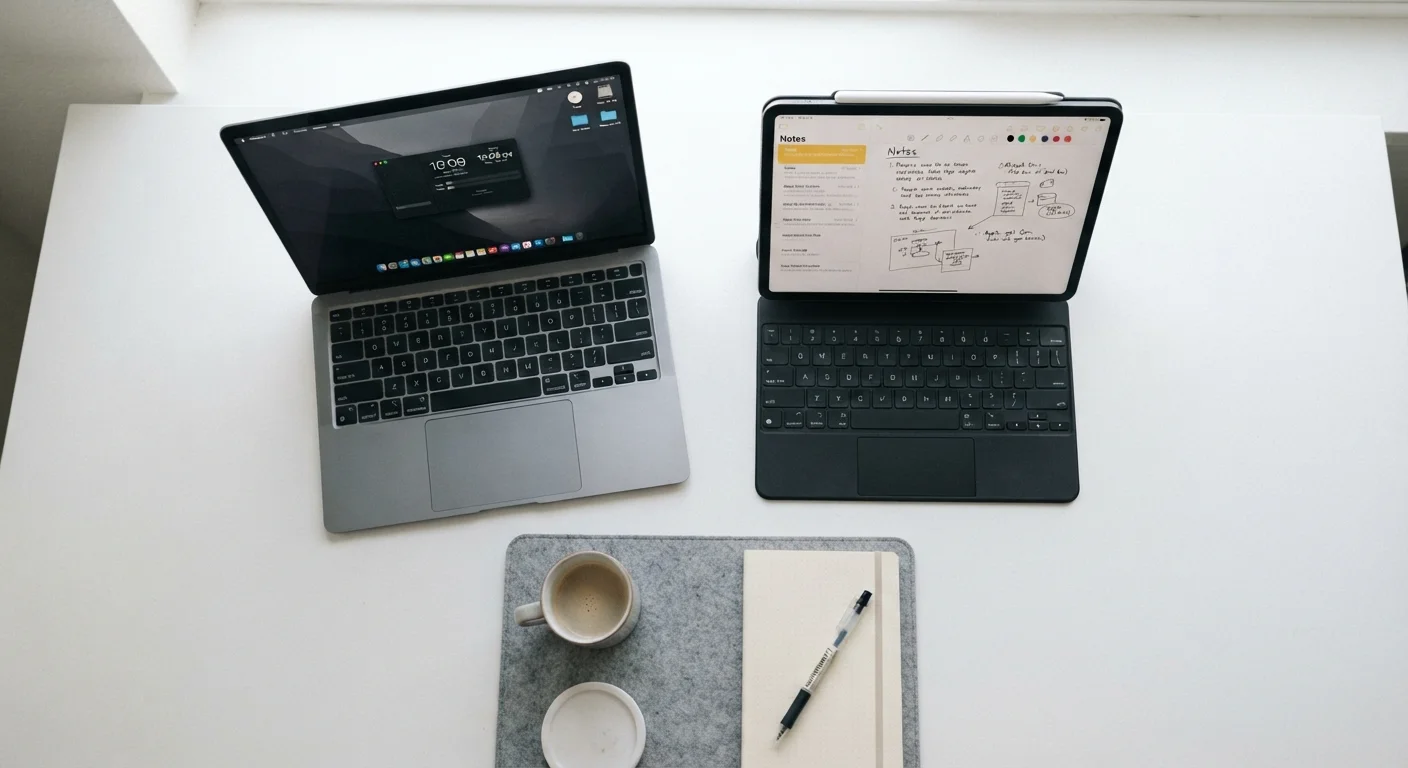
Photo credit: TheBlogZappier.com | Simple Search, Credible Results
In this article
Tablets and laptops overlap more than ever. Here's a plain-language guide to which form factor suits different tasks and lifestyles.
Key Takeaways
- Tablets excel at portability and touch-based tasks; laptops handle sustained, complex work more comfortably.
- Operating system differences mean tablets and laptops don't always run the same software.
- A 2-in-1 laptop can blur the line, but trade-offs in both directions are real.
- Battery life and weight favor tablets; raw processing power and multitasking favor laptops.
- Your primary use case — not price — should drive the decision.
What Actually Separates a Tablet from a Laptop
The hardware gap between tablets and laptops has narrowed considerably. Some tablets now sport processors comparable to entry-level laptops, and many come with optional keyboard covers that mimic a clamshell form factor. Yet the two devices are still built around different assumptions about how you work.
A tablet is designed touch-first. Its operating system — typically iPadOS or Android — is optimized for tapping, swiping, and apps. Apps themselves are generally mobile versions, meaning they may lack features found in their desktop counterparts.
A laptop runs a full desktop operating system — Windows or macOS — designed around a keyboard and pointer. That distinction matters more than most spec comparisons, because the OS shapes what software you can run, how files are managed, and how comfortably you can multitask across windows.
For a deeper look at how laptops themselves vary by form factor, see our guide to laptop categories.
| Criterion | Tablet | Laptop |
|---|---|---|
| Operating system | iPadOS or Android (mobile-first) | Windows or macOS (desktop-class) |
| Typical weight | Under 1.5 lbs | 2.5–5 lbs (varies by type) |
| Battery life | 10–12+ hours typical | 6–12 hours (varies widely) |
| Software availability | App store apps; desktop apps often absent | Full desktop software ecosystem |
| Keyboard input | Optional add-on accessory | Built-in physical keyboard |
| Multitasking | Limited by OS design | Strong; multiple windows and apps |
| Best primary use | Consumption, light tasks, travel | Creation, productivity, complex work |
Where Each Device Has a Clear Edge
Tablets win on portability and battery. Most tablets weigh under one pound and routinely last 10–12 hours on a charge. They're also instant-on devices — open the cover and you're reading in seconds. For travel, commuting, or couch browsing, that friction-free experience is genuinely useful.
Laptops win on sustained productivity. Writing a long document, switching between a browser with dozens of tabs, a spreadsheet, and a communication app simultaneously — that's where a laptop's combination of a physical keyboard, trackpad, and desktop OS earns its keep. File management is also considerably more straightforward on a laptop; organizing, moving, and accessing files across applications is a workflow tablets still handle awkwardly.
~1 lb
Typical tablet weight without accessories
Most flagship tablets weigh between 0.9 and 1.5 pounds, making them significantly lighter than even thin-and-light laptops.
2–3×
Longer keyboard-based sessions on laptops
Ergonomics research consistently finds that users write faster and more accurately on physical keyboards than on tablet touchscreens or soft keyboards.
There's also the software question. If your work depends on specific programs — accounting software, creative suites, development environments — confirm they exist in full-featured form on a tablet platform before assuming the device will cover you. Many do not.
For guidance on matching specific tasks to the right hardware, the task-to-hardware matching guide breaks this down in practical terms.
The 2-in-1 Middle Ground (and Its Limits)
Convertible laptops — often called 2-in-1s — fold or detach to work as both a tablet and a laptop. They sound like an obvious solution, but the trade-offs are real. In laptop mode, 2-in-1s are generally thicker and heavier than comparable ultrabooks. In tablet mode, they tend to be heavier and less comfortable to hold than a dedicated tablet.
That said, for users whose needs genuinely split down the middle — say, a student who attends lectures with a stylus but writes papers at a desk — a 2-in-1 can be a reasonable fit. Just go in with realistic expectations rather than assuming it will be equally excellent at both jobs.
When a Tablet Plus a Keyboard Cover Isn't Enough
Keyboard covers improve tablet typing comfort but don't change the underlying operating system. If your workflow relies on file directories, multiple resizable windows, or specific desktop applications, a keyboard cover won't bridge that gap. Think of it as a convenience upgrade, not a full laptop replacement.
If you're weighing a laptop against a desktop as a follow-on question, the desktop vs. laptop comparison covers portability, performance, and upgradability in detail. And for a broad starting point, the complete guide for first-time computer buyers walks through hardware basics from the ground up.

Author
Tech & Electronics Editorial Team
Tech & Electronics Editorial Team is the collective byline for our editorial team and contributor network. Articles published under this byline or an editorial pen name are researched, written, and reviewed according to our editorial standards for clarity, consistency, and independence before publication.
View all articles →