
RAM, Storage, and Processors: What Phone Specs Actually Mean
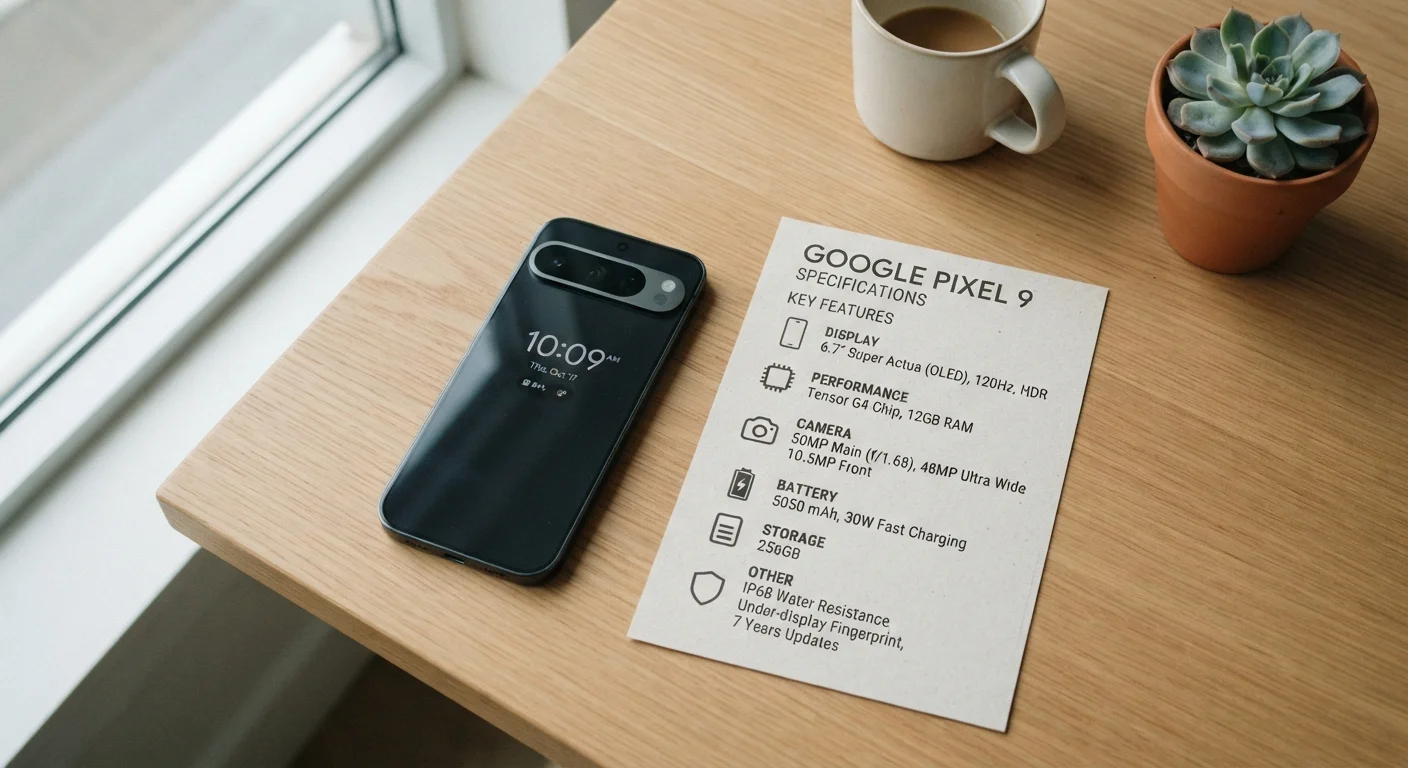
Photo credit: TheBlogZappier.com | Simple Search, Credible Results
In this article
Decode the numbers on any smartphone spec sheet — what matters for real-world performance and what you can safely ignore.
Key Takeaways
- RAM governs multitasking speed; more RAM reduces the need to reload apps from scratch.
- Storage capacity determines how many photos, apps, and files you can keep on the device.
- Processor generation and architecture matter more than clock speed numbers alone.
- A phone with older specs can still feel responsive if it has well-optimized software.
- Storage type (UFS vs. eMMC) affects how fast apps open and files transfer.
- Matching specs to your actual usage habits is more useful than chasing the highest numbers.
What RAM Actually Does on a Phone
RAM — short for Random Access Memory — is your phone's short-term workspace. When you open an app, the phone loads it into RAM so the processor can work with it quickly. The more RAM available, the more apps can stay open in the background without being forced to close and reload the next time you switch back to them.
That reload delay — the brief pause when an app has to restart from scratch — is the most direct real-world symptom of insufficient RAM. If you regularly notice apps "forgetting" where you were or camera previews stuttering when you switch tasks, RAM is likely a factor.
It's worth noting that Android and iOS manage RAM differently. iOS tends to be more aggressive about clearing background apps but compensates with tight hardware-software integration. Android gives apps more room to stay loaded but relies more heavily on raw RAM capacity.
Check RAM Management Before You Buy
If possible, look for real-world multitasking tests rather than relying on the RAM figure alone. Some phones with 8 GB of RAM manage background apps poorly due to aggressive memory management settings, while others with 6 GB handle switching smoothly. Reviews that test app retention are more useful than spec comparisons for this particular question.
Storage: How Much You Need and What Type Matters
Storage is where everything on your phone lives permanently — photos, videos, downloaded music, apps, and system files. Unlike RAM, storage retains its contents when the phone is turned off.
Capacity is the obvious consideration: 64 GB fills up faster than most people expect once you account for the operating system, pre-installed apps, and a reasonable photo library. Many users find 128 GB a more comfortable baseline, while frequent video shooters or offline media collectors may want 256 GB or more.
Less discussed but genuinely impactful is storage type. Most phones now use UFS (Universal Flash Storage), which reads and writes data significantly faster than the older eMMC standard still found in some budget models. Faster storage means apps launch more quickly and large files (like editing a video) process more smoothly. If two phones appear similar on paper but one uses UFS 3.1 and the other uses eMMC 5.1, expect a noticeable speed difference in daily use.
128 GB
Common baseline storage for mid-range phones
Industry trends and device listings show 128 GB has become the standard entry point for most mid-range smartphones as of recent product generations.
~2×
Speed difference between UFS 3.1 and eMMC 5.1
Independent storage benchmarks consistently show UFS 3.1 delivering roughly double the sequential read speeds of eMMC 5.1, translating to noticeably faster app loads.
6–8 GB
RAM range sufficient for most everyday users
Consumer usage research and developer guidelines generally point to 6–8 GB as adequate for typical smartphone workloads including social media, streaming, and light gaming.
For a broader look at how these concepts translate to computers, see our guide to RAM, storage, and processing power for laptops.
Processors: Why the Chip Generation Matters More Than GHz
The processor — often called the chip or SoC — is the brain of the phone. It handles every calculation the device makes, from rendering your home screen to running a navigation app while music plays in the background.
Manufacturers market processors partly using clock speed, measured in gigahertz (GHz). Higher GHz means the chip can complete more cycles per second — but this number alone tells you very little without knowing the chip's architecture and generation. A chip built on a newer manufacturing process (measured in nanometers, where smaller is generally more efficient) can do more work per cycle while generating less heat and using less battery than an older chip running at higher GHz.
In practical terms: focus on the chip family and generation rather than isolating the GHz figure. Also pay attention to the number of cores and how they're arranged. Modern mobile chips use a mix of high-performance cores for demanding tasks and efficiency cores for lighter work like checking email — this is what allows a phone to last through the day without the battery draining during idle time.
“The single-core performance of a chip is often more important for everyday feel than the total core count. Most interactions — tapping, scrolling, opening an app — happen on one core at a time.”
— Anandtech CPU Architecture Analysis, Long-running independent chip performance publication
If you're curious how performance changes as hardware ages, our article on what happens to a phone's performance over time covers the real causes of slowdown.
How These Specs Work Together in Real Life
Specs don't operate in isolation. A phone with generous RAM but a slow storage type may still hesitate when loading large apps, because the processor has to wait for data to transfer from storage into RAM. A powerful chip paired with minimal RAM may perform well on single tasks but struggle when you're juggling multiple apps.
Software optimization is the often-overlooked fourth variable. A phone running a well-tuned operating system can feel smoother than a device with higher specs and bloated software. This is one reason why the on-paper spec advantage doesn't always translate into a better user experience.
For a complete picture of everything on a phone spec sheet — including display, camera, and connectivity terms — the first-time buyer's smartphone guide is a useful companion. And for display-specific specs like refresh rate and panel type, see our display tech explainer.
Specs Vary by Region and Carrier
The same phone model is sometimes released with different RAM or storage tiers depending on the region or the carrier selling it. When comparing phones or reading reviews, confirm you're looking at the specific configuration available in your market — the base model sold in one country may differ from what's on shelves in the US.
Frequently Asked Questions

Author
Tech & Electronics Editorial Team
Tech & Electronics Editorial Team is the collective byline for our editorial team and contributor network. Articles published under this byline or an editorial pen name are researched, written, and reviewed according to our editorial standards for clarity, consistency, and independence before publication.
View all articles →